How to Use a Smart Board: A Complete Guide for Modern Classrooms
July 20, 2026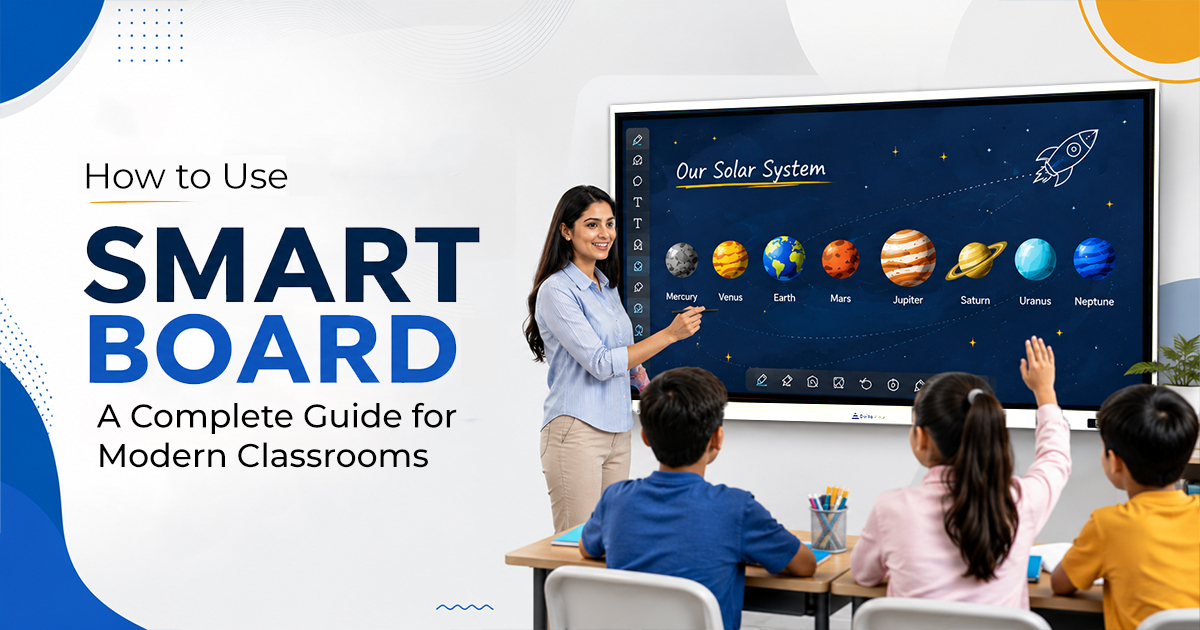
Technology has now transformed the way educators teach and students interact in the classrooms. Traditional chalkboards and whiteboards are being replaced by smart boards that make teaching more interactive, visual, and collaborative.
Let’s explore how smart boards can make everyday teaching more interactive, organized, and enjoyable.
What Is a Smart Board?
A smart board also known as an interactive display, is a touchscreen display that combines the functions of a whiteboard, projector, and collaboration tool into one display.
Unlike traditional whiteboards, a smart board allows teachers to:
- Write digitally using a stylus or finger
- Display presentations, videos, and websites
- Open PDF documents and eBooks
- Annotate directly on images and documents
- Conduct quizzes and interactive classroom activities
- Save lesson notes instantly
- Share classroom content with students
Modern smart boards also include Android operating systems, AI-powered teaching tools, wireless screen sharing, cloud storage, and educational applications.
Why Schools Are Switching to Smart Board for Teaching
Education today is becoming increasingly digital. Teachers need tools that can explain concepts visually while keeping students actively involved. Smart board for teaching help achieve this by making lessons more interactive rather than one-way lectures.
Some major advantages include:
- Better student engagement
- Improved visual learning
- Faster lesson preparation
- Interactive problem-solving
- Easy content sharing
- Paperless classrooms
- Support for hybrid and online learning
Students are more likely to participate when they can interact directly with lesson content instead of simply watching from their seats.
Getting Started: Setting Up a Smart Board
Using a smart board begins with a simple setup process.
-
Turn On the Smart Board
Power on the display using the physical power button or remote control. Most modern interactive panels boot within a few seconds.
Many boards automatically open the home screen where you can access whiteboard software, installed apps, browser, and settings.
-
Connect to the Internet
A Wi-Fi connection unlocks the full capabilities of the smart board.
Once connected, teachers can:
- Browse educational websites
- Access Google Drive or OneDrive
- Download learning apps
- Watch educational videos
- Use cloud-based teaching platforms
A stable internet connection ensures smooth classroom sessions.
-
Sign In to Educational Apps
Most schools use platforms like:
- Google Classroom
- Microsoft Teams
- Zoom
- Google Meet
- Learning Management Systems (LMS)
Signing in allows teachers to access lesson plans, assignments, and teaching resources directly from the board.
How to Use the Interactive Whiteboard
The interactive whiteboard is one of the most commonly used features.
Teachers can write naturally using:
- Finger touch
- Stylus pen
- Smart digital pen
The board recognizes multiple touch points, allowing several students to work simultaneously.
Teachers can:
- Write notes
- Draw diagrams
- Highlight text
- Erase digitally
- Change pen colors
- Insert images
- Add shapes
- Create mind maps
Unlike a traditional whiteboard, everything can be saved and reused later.
Display Presentations and Teaching Material
One of the biggest advantages of smart boards is the ability to present multimedia content.
Teachers can open:
- PowerPoint presentations
- PDF files
- Word documents
- Excel sheets
- Images
- Videos
- Web pages
Instead of switching between multiple devices, everything is managed from a single screen.
This creates a smoother teaching experience and saves valuable classroom time.
Annotate on Any Document
One feature teachers quickly appreciate is digital annotation.
While presenting any file, they can:
- Circle important concepts
- Underline key points
- Add handwritten notes
- Highlight formulas
- Explain diagrams
These annotations can be saved as a new document for future classes or shared with students after the lecture.
This reduces the need for students to copy every detail during class.
Use Multimedia to Make Lessons More Interesting
Students understand concepts better when they can see real-life examples.
Instead of only explaining a topic verbally, teachers can include:
- Educational videos
- Interactive simulations
- Animated diagrams
- Science experiments
- Geographic maps
- Historical timelines
- 3D models
Visual learning increases attention and improves long-term memory retention.
Encourage Student Participation
A smart board turns passive learners into active participants.
Teachers can invite students to:
- Solve mathematics problems
- Label diagrams
- Drag and drop objects
- Match answers
- Complete puzzles
- Participate in quizzes
- Write directly on the screen
Instead of one student using the board while others watch, multiple students can collaborate simultaneously on supported interactive displays.
This makes learning more enjoyable and encourages teamwork.
Use Split Screen for Better Classroom Management
Modern interactive displays support split-screen functionality.
Teachers can display:
- Notes and videos together
- Browser alongside whiteboard
- Two documents simultaneously
- Presentation with annotation tools
- PDF next to online resources
This eliminates constant switching between applications and keeps lessons organized.
Save and Share Classroom Notes
One of the most practical features is automatic note saving.
At the end of the lesson, teachers can:
- Save handwritten notes as PDFs
- Export files
- Email lesson notes
- Upload content to cloud storage
- Share with absent students
Students receive exactly what was discussed during class, reducing confusion and improving revision.
Connect Student Devices Wirelessly
Wireless screen sharing is becoming a standard classroom feature.
Teachers and students can display content directly from:
- Windows laptops
- MacBooks
- Android phones
- iPhones
- Tablets
Without connecting HDMI cables, presentations can be shared instantly.
This saves setup time and allows smoother classroom collaboration.
Use Built-in Educational Tools
Modern smart boards include several teaching tools that simplify everyday lessons.
Common features include:
- Scientific calculator
- Ruler
- Compass
- Geometry tools
- Protractor
- Sticky notes
- Timers
- Screen recording
- Screenshot capture
- QR code sharing
- Mind mapping
- Tables and charts
These tools eliminate the need for multiple classroom accessories.
How DeltaView Canvas AI Features Improve Classroom Teaching
The latest DeltaView Canvas AI includes AI-powered features that help teachers work more efficiently.
Depending on the model, AI capabilities may include:
- Handwriting recognition
- Smart shape detection
- Voice assistance
- Instant translation
- AI-generated lesson summaries
- Text recognition (OCR)
- Circle-to-search
- Real-time transcription
- Intelligent note organization
These tools reduce repetitive tasks and allow teachers to focus more on teaching and student interaction.
Best Practices for Using a Smart Board in Class
Simply installing a smart board is not enough. The way it is used determines its impact on learning.
Here are a few practical tips:
Plan Interactive Lessons
Include quizzes, videos, diagrams, and activities instead of relying only on text-heavy presentations.
Encourage Student Interaction
Invite students to solve problems, write answers, or explain concepts directly on the board.
Use Visual Learning
Charts, animations, and images often explain complex topics faster than lengthy lectures.
Save Lesson Notes
Keep digital copies of every lesson so students can revise later.
Keep Software Updated
Regular updates improve security, introduce new features, and ensure smooth performance.
Explore Built-in Teaching Apps
Most smart boards include educational applications that make classroom activities more engaging.
Common Mistakes Teachers Should Avoid
Many first-time users limit the smart board to displaying PowerPoint slides.
To get the most value, avoid these common mistakes:
- Treating the smart board like a projector
- Ignoring interactive features
- Not using annotation tools
- Skipping multimedia resources
- Avoiding student participation
- Forgetting to save lesson notes
- Not exploring AI-powered features
The more teachers experiment with the available tools, the more effective their lessons become.
Choosing the Right Smart Board for Your School
When selecting an interactive display, schools should consider more than just screen size.
Important factors include:
- 4K UHD display quality
- Multi-touch capability
- Android operating system
- EDLA Certified
- Andriod 16
- AI teaching tools
- Wireless screen sharing
- Fast processor
- Anti-glare display
- Eye-care technology
- Built-in speakers
- Cloud compatibility
- Long software support
- Security features
- Easy device management
Choosing a reliable smart board ensures better classroom performance and long-term value.
The Future of Interactive Learning
Digital classrooms continue to evolve as technologies like artificial intelligence, cloud collaboration, and immersive learning become part of everyday education.
Today’s smart boards are no longer limited to writing notes. They act as complete teaching hubs where educators can present lessons, collaborate with students, conduct assessments, record lectures, and access online resources—all from a single interactive display.
As schools increasingly adopt digital teaching methods, smart boards will play a central role in creating engaging, inclusive, and future-ready learning environments.
Conclusion
A smart board is much more than a digital replacement for a traditional whiteboard. It combines interactive teaching, multimedia content, collaboration, and AI-powered tools into a single platform that supports modern education.
When teachers use features such as digital annotation, wireless sharing, interactive quizzes, multimedia resources, and cloud-based lesson management, they can create more engaging and effective learning experiences. Students stay involved, lessons become easier to understand, and classroom productivity improves.
As schools continue their digital transformation, learning how to use a smart board effectively is no longer just an advantage—it is an essential skill for delivering engaging, future-ready education.
FAQs
Teachers can write digitally, present multimedia content, annotate documents, conduct quizzes, save notes, and collaborate with students using touch-based interaction.
Yes. Students can write, draw, solve problems, participate in activities, and collaborate on the screen, making lessons more engaging.
Not always. Most modern interactive flat panels come with a built-in Android operating system that allows users to access whiteboard tools, web browsers, and apps without connecting an external computer.
Smart boards are suitable for almost every subject, including mathematics, science, English, social studies, coding, engineering, business studies, and professional training.
Yes. Many smart boards support video conferencing, wireless screen sharing, cloud integration, and screen recording, making them ideal for both classroom and remote learning.